Redesigning for real impact
CHANEL – Internal system renewal
CHANEL – Internal system renewal
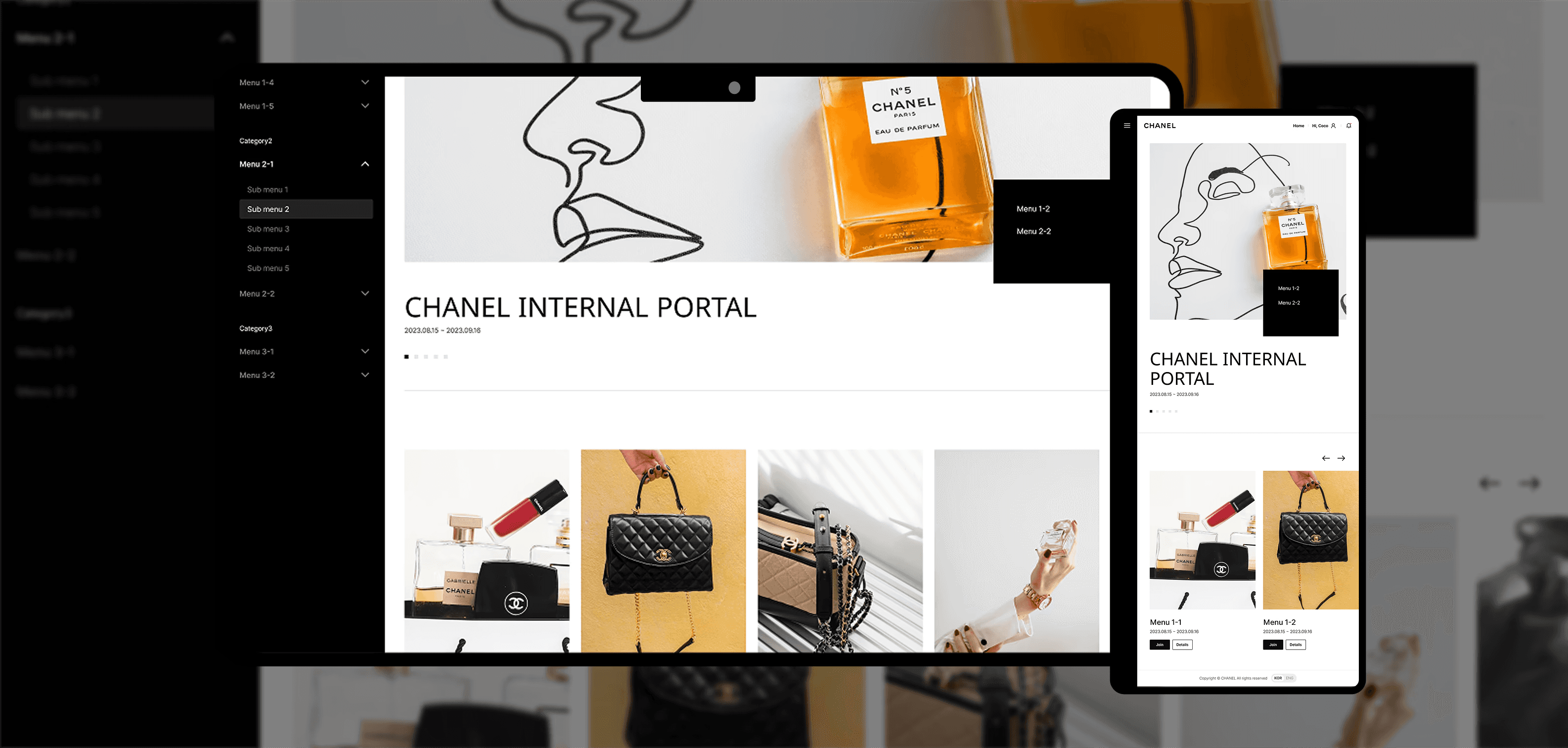
A system migration paved the way for UX transformation—redesigned CHANEL internal system to streamline workflows and reduce task time by 16.3%.
Company
CHANEL
Period
2023.09-2024.01
My Role
Product design · UX design · Specification definition · QA testing
Category
Web App
Enterprise Tool
UX Redesign
Redesigning for real impact
CHANEL – Internal system renewal
A system migration paved the way for UX transformation—redesigned CHANEL internal system to streamline workflows and reduce task time by 16.3%.
Company
CHANEL
Period
2023.09-2024.01
My Role
Product design · UX design · Specification definition · QA testing
Role & Team
Product designer | 1 PM, 6 Developers, 2 Product designers, 1 UI Designer
Category
Web App
Enterprise Tool
UX Redesign

1/
1/
Background
Background
A system migration opened the door to a broader UX transformation.
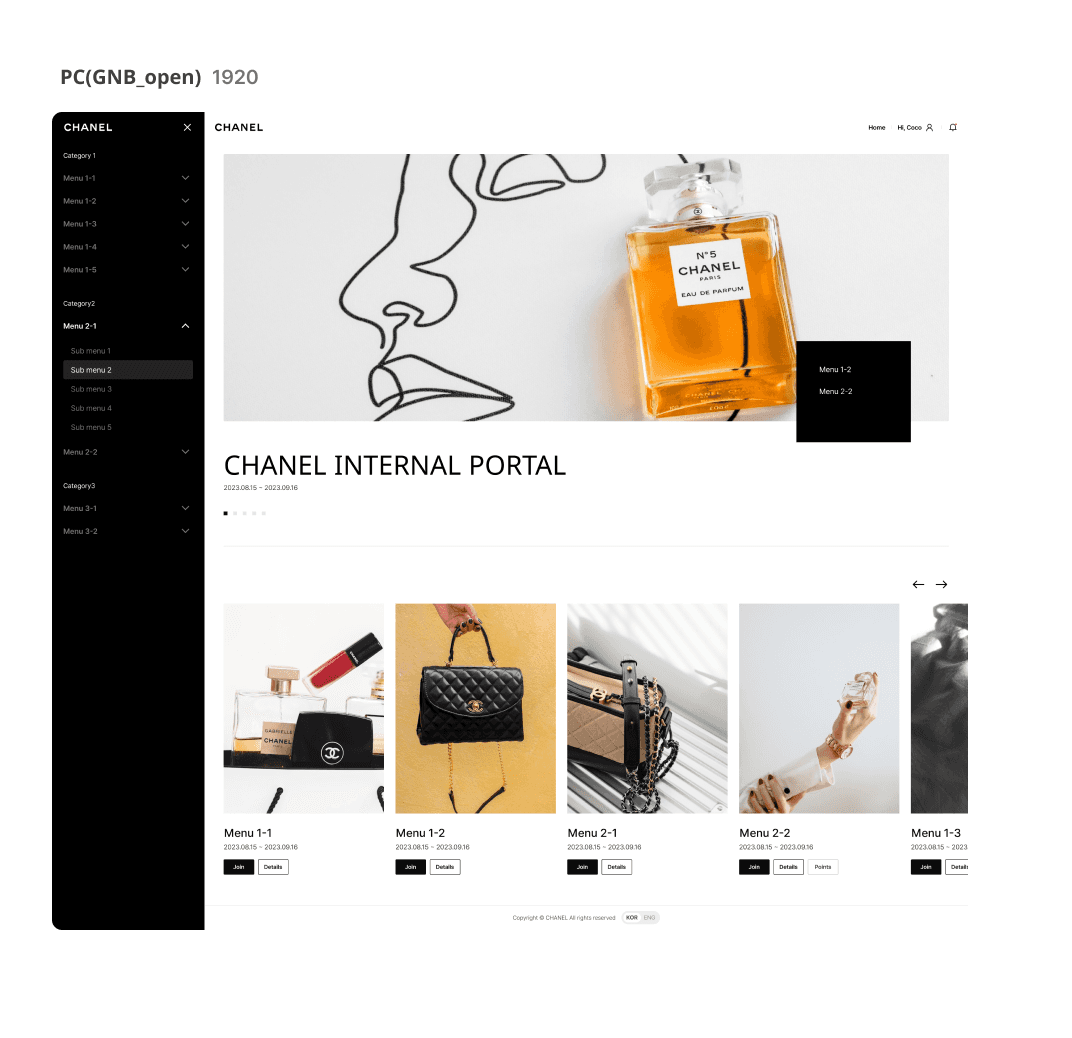
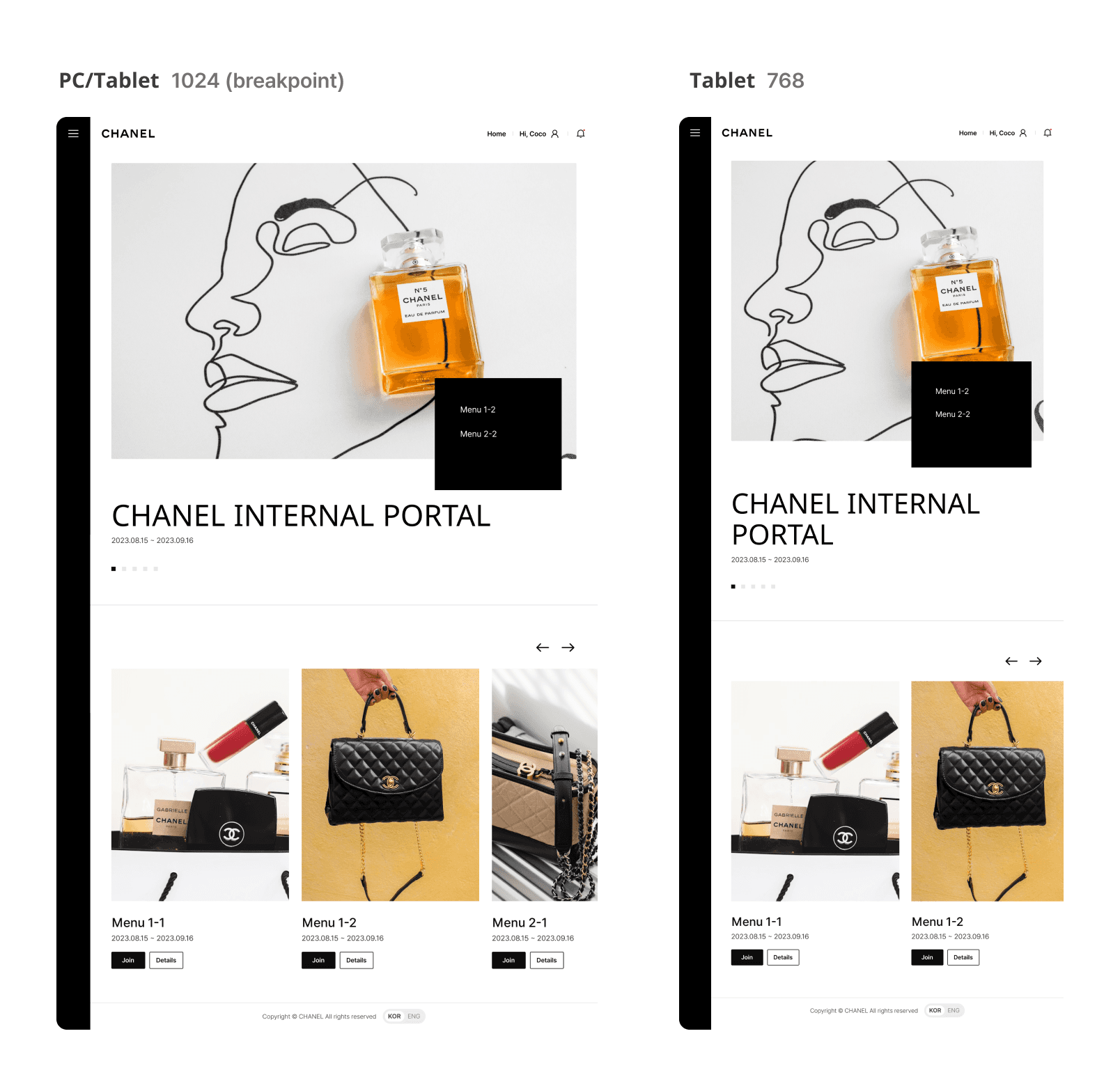
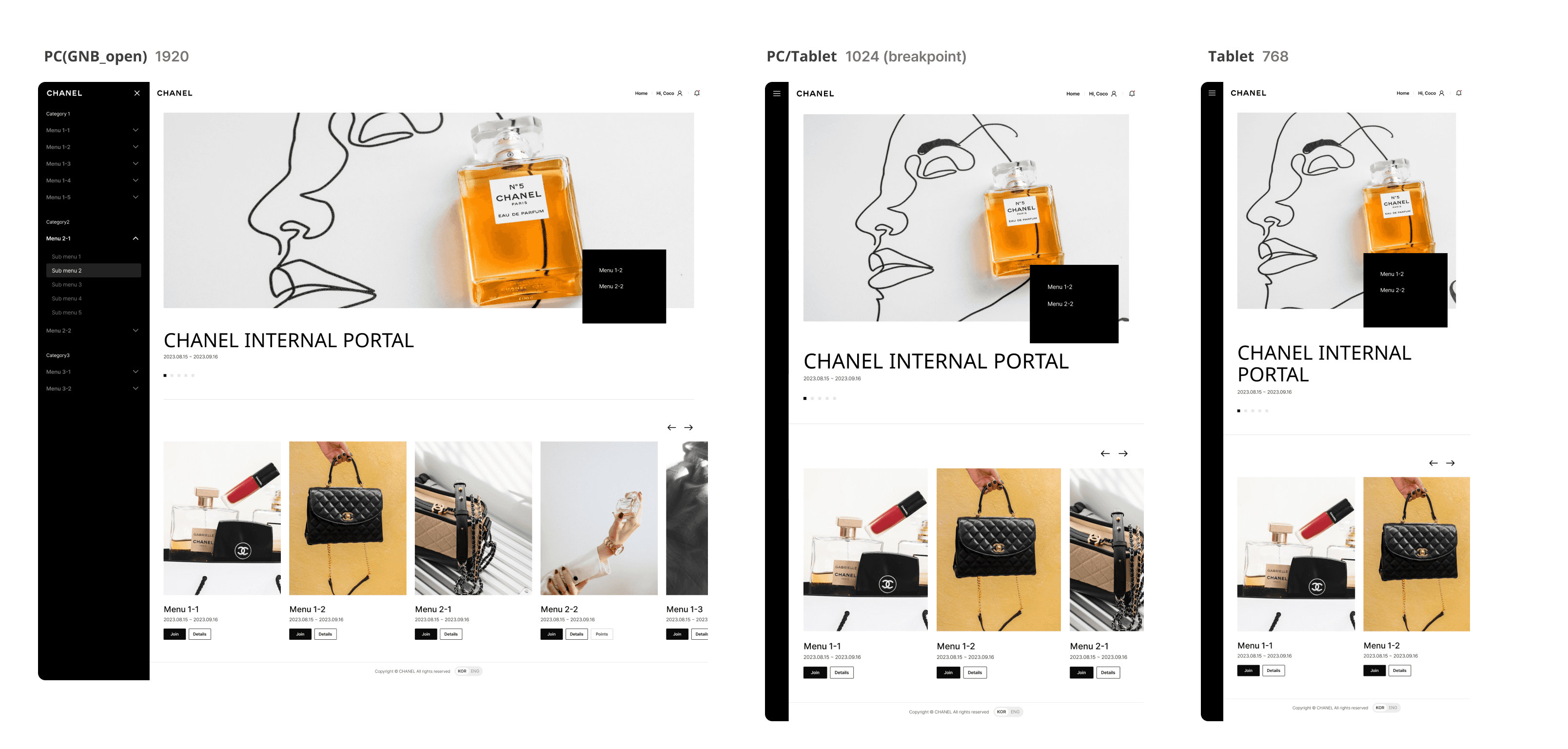
CHANEL’s internal platform, used by sales and internal teams, had become outdated and difficult to use—especially on tablets, which were the primary device in the field. During the transition from PHP to Java, the team saw an opportunity to improve usability while preserving the familiar user flows that employees relied on.
A system migration opened the door to a broader UX transformation.
CHANEL’s internal platform, used by sales and internal teams, had become outdated and difficult to use—especially on tablets, which were the primary device in the field. During the transition from PHP to Java, the team saw an opportunity to improve usability while preserving the familiar user flows that employees relied on.
2/
2/
Challenge
Challenge
Improving usability without disrupting existing user habits was a key UX challenge.
The key challenge was to optimize workflows while preserving familiar patterns—striking a balance between usability improvements and user expectations to ensure a smooth, intuitive transition.
Improving usability without disrupting existing user habits was a key UX challenge.
The key challenge was to optimize workflows while preserving familiar patterns—striking a balance between usability improvements and user expectations to ensure a smooth, intuitive transition.
3/
3/
Process
Process
From definition to delivery
Requirement clarification
Flow & Process analysis
UX Wireframes & Spec definition
Dev Communication
QA participation & Feedback resolution
From definition to delivery
Requirement clarification
Flow & Process analysis
UX Wireframes & Spec definition
Dev Communication
QA participation & Feedback resolution
4/
4/
My Role
My Role
Conducted user research, designed wireframes, and supported implementation and QA with developers.
Team size
12+, with myself as one of two product designers collaborating with PMs, developers, and HQ stakeholders.
My role
User Research
Analyzed requirements and led cross-functional interviews to uncover user needs and pain points.Design concept & wireframes
Developed design concepts and wireframes for the homepage and multi-step request flows.Collaboration & QA
Worked with engineers to ensure design feasibility, refined designs based on feedback, and maintained quality through QA testing.
Conducted user research, designed wireframes, and supported implementation and QA with developers.
Team size
12+, with myself as one of two product designers collaborating with PMs, developers, and HQ stakeholders.
My role
User Research
Analyzed requirements and led cross-functional interviews to uncover user needs and pain points.Design concept & wireframes
Developed design concepts and wireframes for the homepage and multi-step request flows.Collaboration & QA
Worked with engineers to ensure design feasibility, refined designs based on feedback, and maintained quality through QA testing.
5/
5/
Goal
Goal
Enhance efficiency, reduce dependency on support, and create a smoother experience.
Improve task efficiency
Reduce task completion time by streamlining key flows and clarifying navigation—especially for high-frequency tasks like request submission.Lower support dependency
Minimize internal support inquiries by making key functions more intuitive and easier to find.Ensure responsive design for tablets
Redesign layouts and interaction patterns to deliver a smooth, focused experience on tablet devices, the primary tool for field teams.
Enhance efficiency, reduce dependency on support, and create a smoother experience.
Improve task efficiency
Reduce task completion time by streamlining key flows and clarifying navigation—especially for high-frequency tasks like request submission.Lower support dependency
Minimize internal support inquiries by making key functions more intuitive and easier to find.Ensure responsive design for tablets
Redesign layouts and interaction patterns to deliver a smooth, focused experience on tablet devices, the primary tool for field teams.
6/
6/
Research & Analysis
Research & Analysis
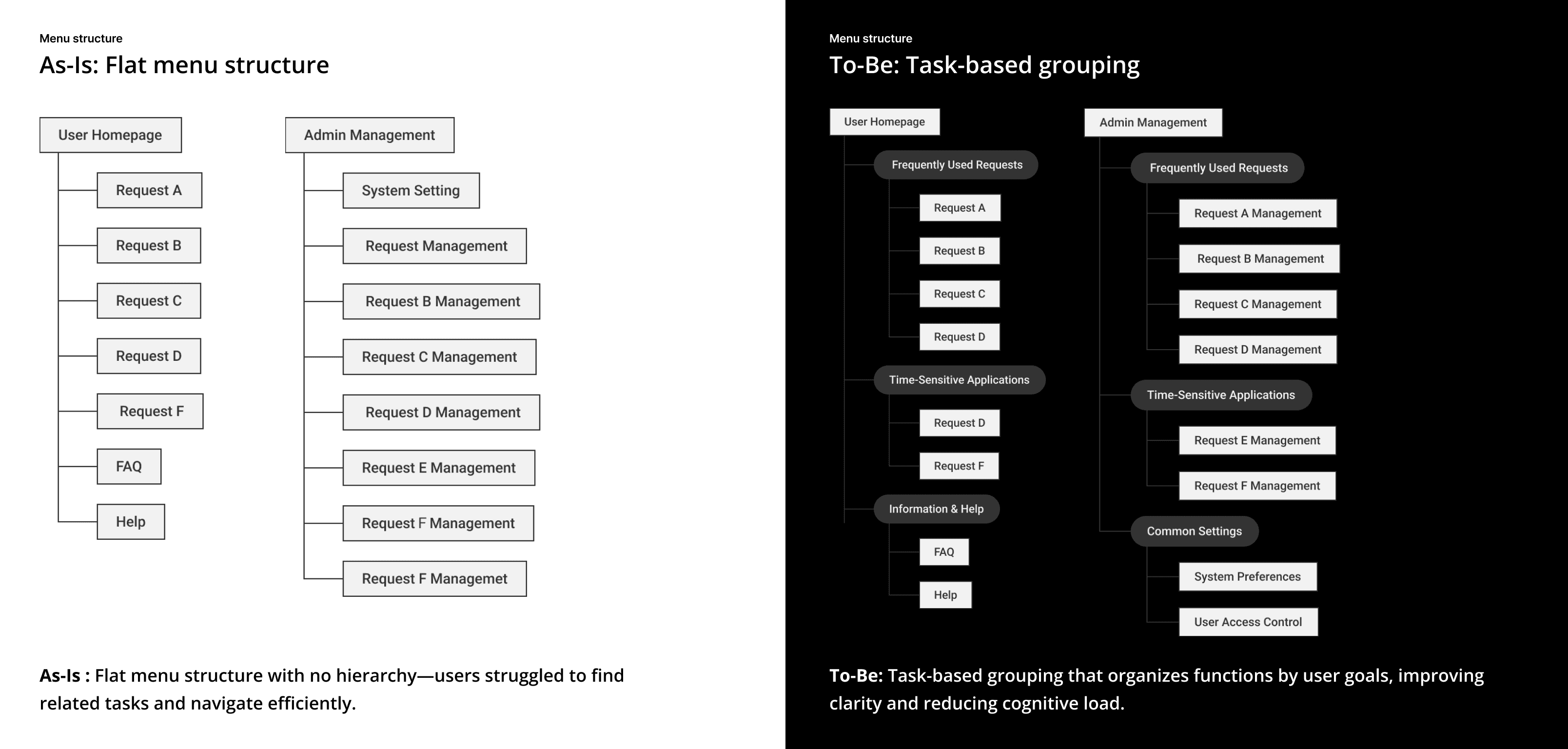
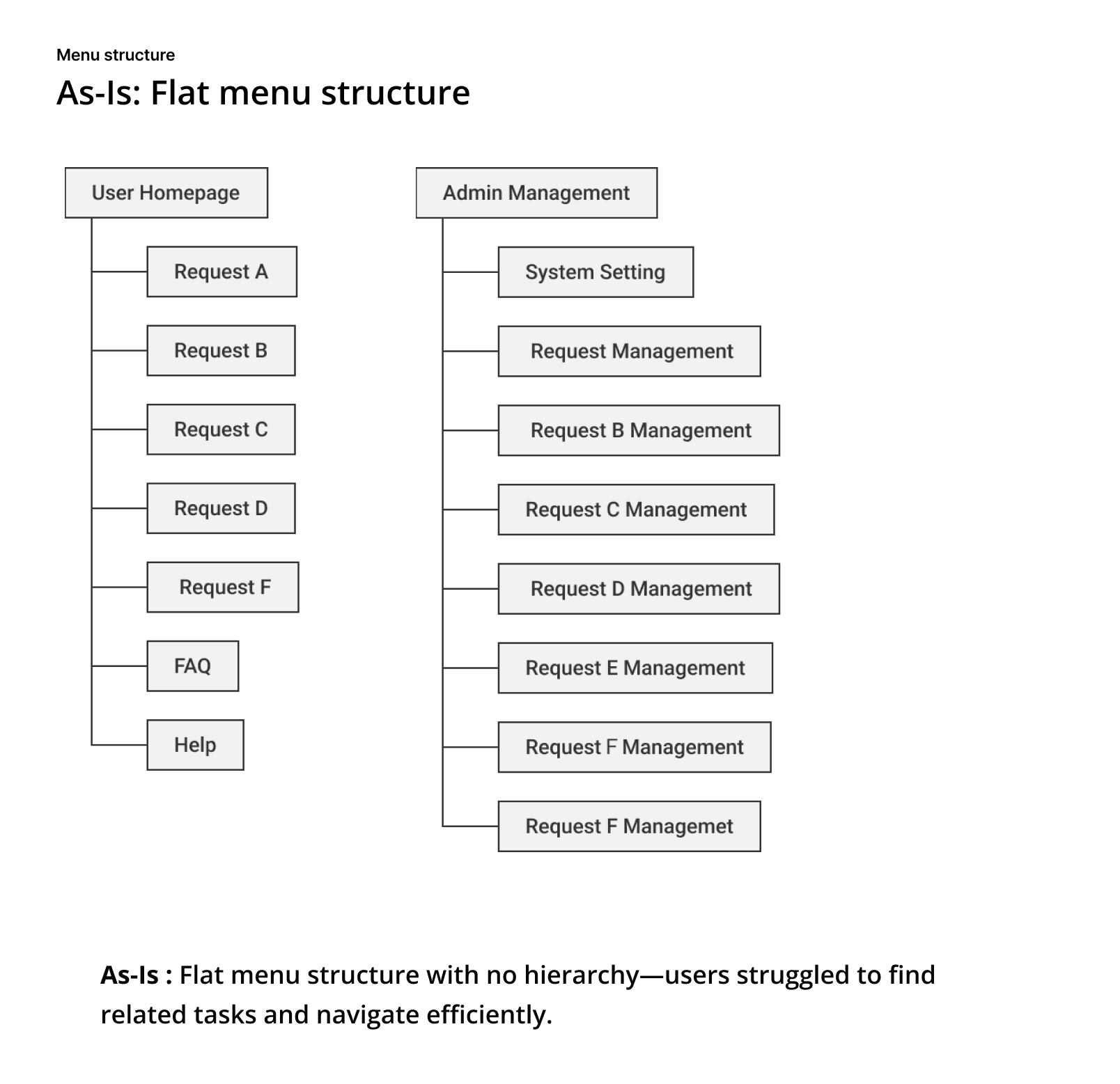
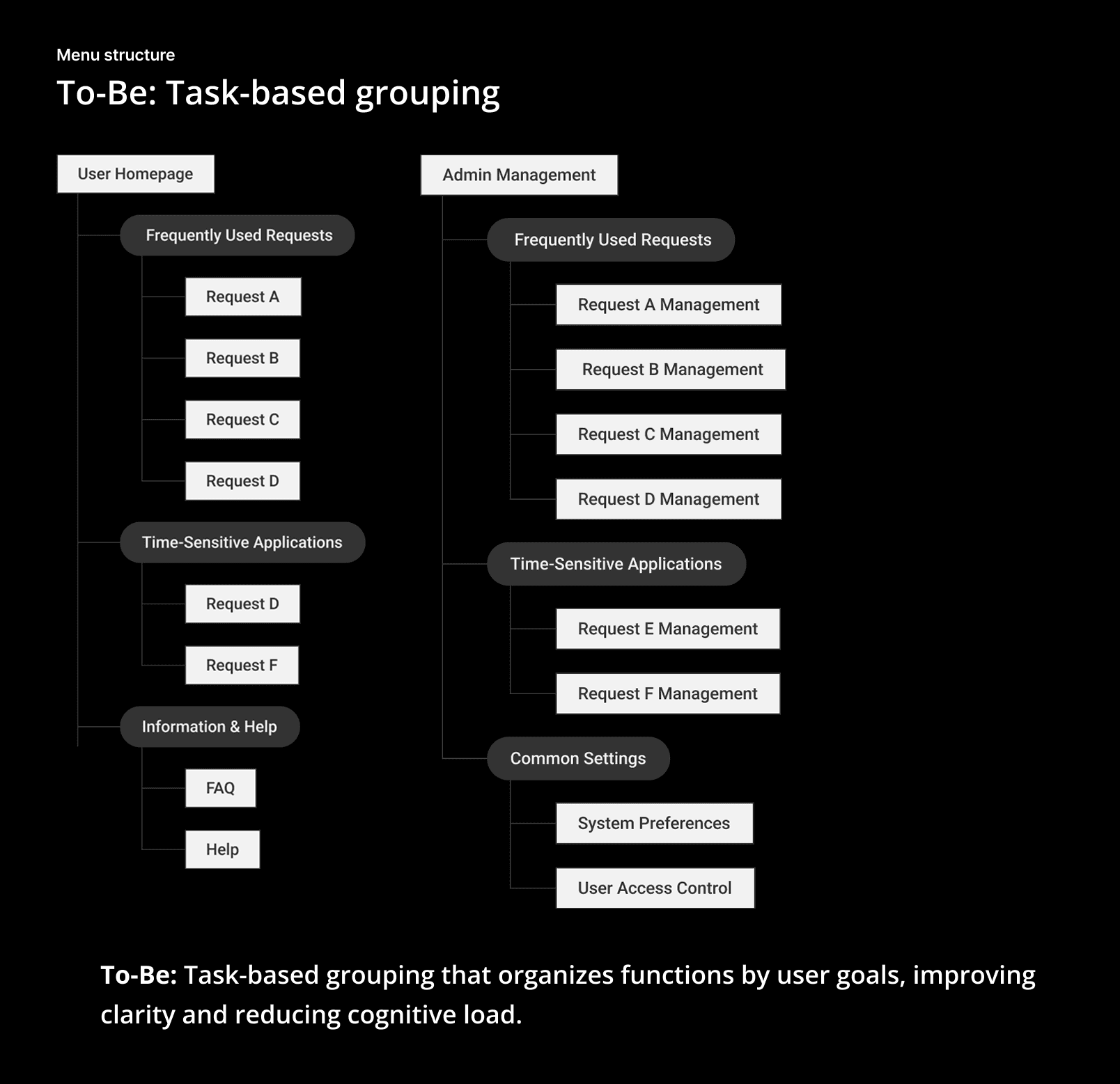
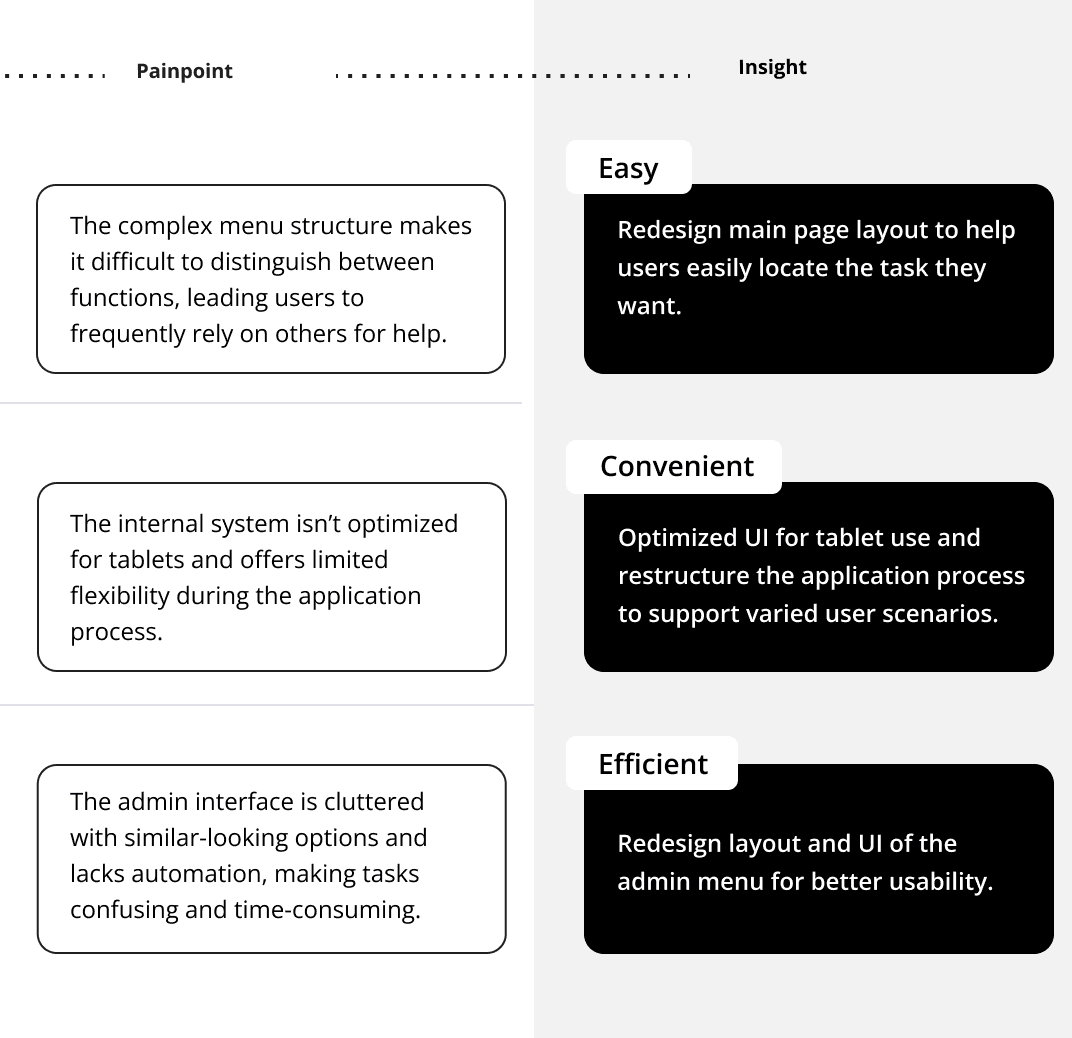
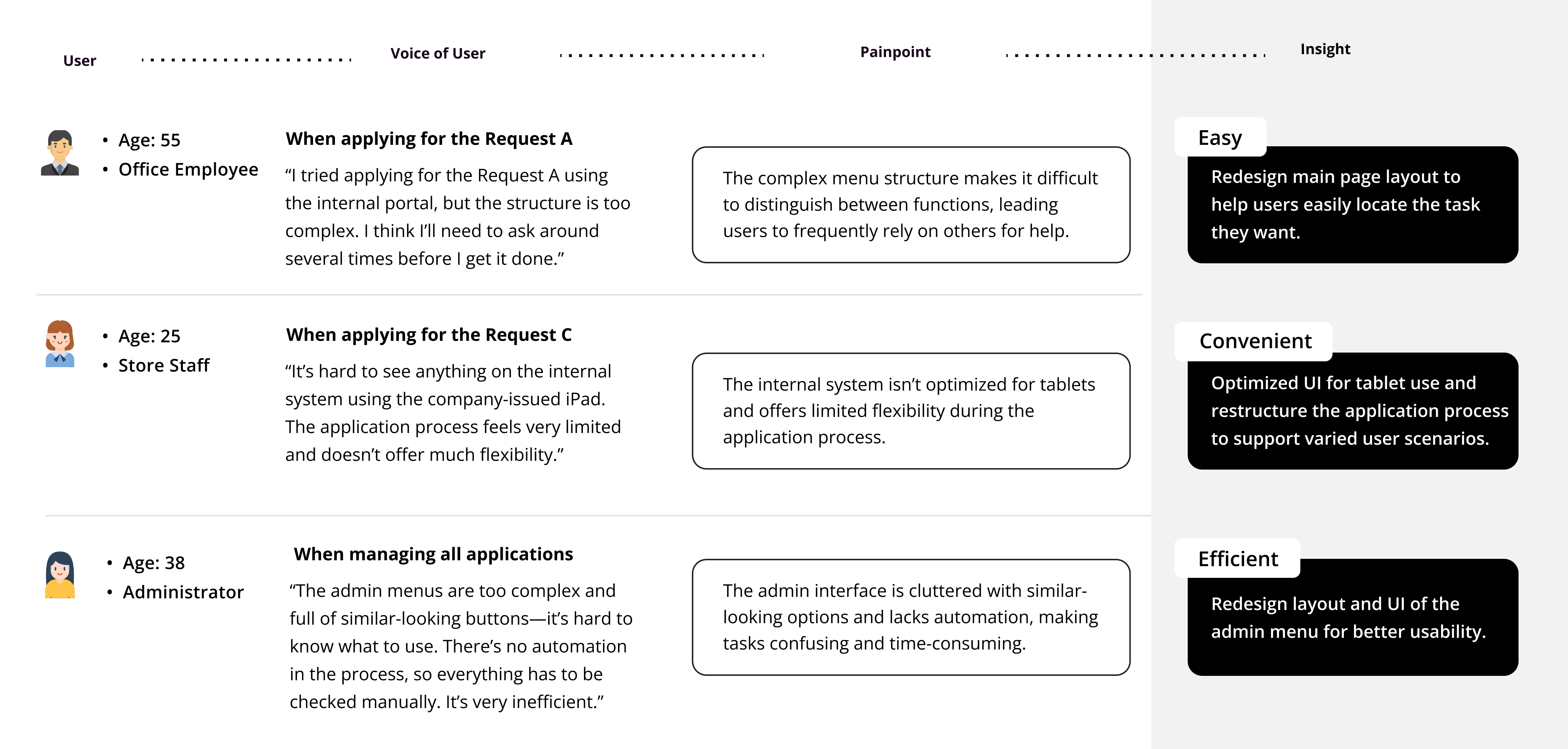
Poorly structured user and admin menus, along with unclear task relationships, made navigation confusing and inefficient.
Information Architecture Review
The legacy admin system featured a flat menu with no clear hierarchy or grouping. Core functions, such as request management, system settings, and user roles, were listed side by side, making it difficult for users to locate features or understand how tasks were related.Stakeholder Interviews
Conducted interviews with both system managers and end users to uncover pain points from an operational and usability perspective, helping align the redesign with real needs.
Poorly structured user and admin menus, along with unclear task relationships, made navigation confusing and inefficient.
Information Architecture Review
The legacy admin system featured a flat menu with no clear hierarchy or grouping. Core functions, such as request management, system settings, and user roles, were listed side by side, making it difficult for users to locate features or understand how tasks were related.Stakeholder Interviews
Conducted interviews with both system managers and end users to uncover pain points from an operational and usability perspective, helping align the redesign with real needs.

7/
7/
Design & Iteration
Design & Iteration
End-to-end design execution: From UX refinement to delivery and validation.
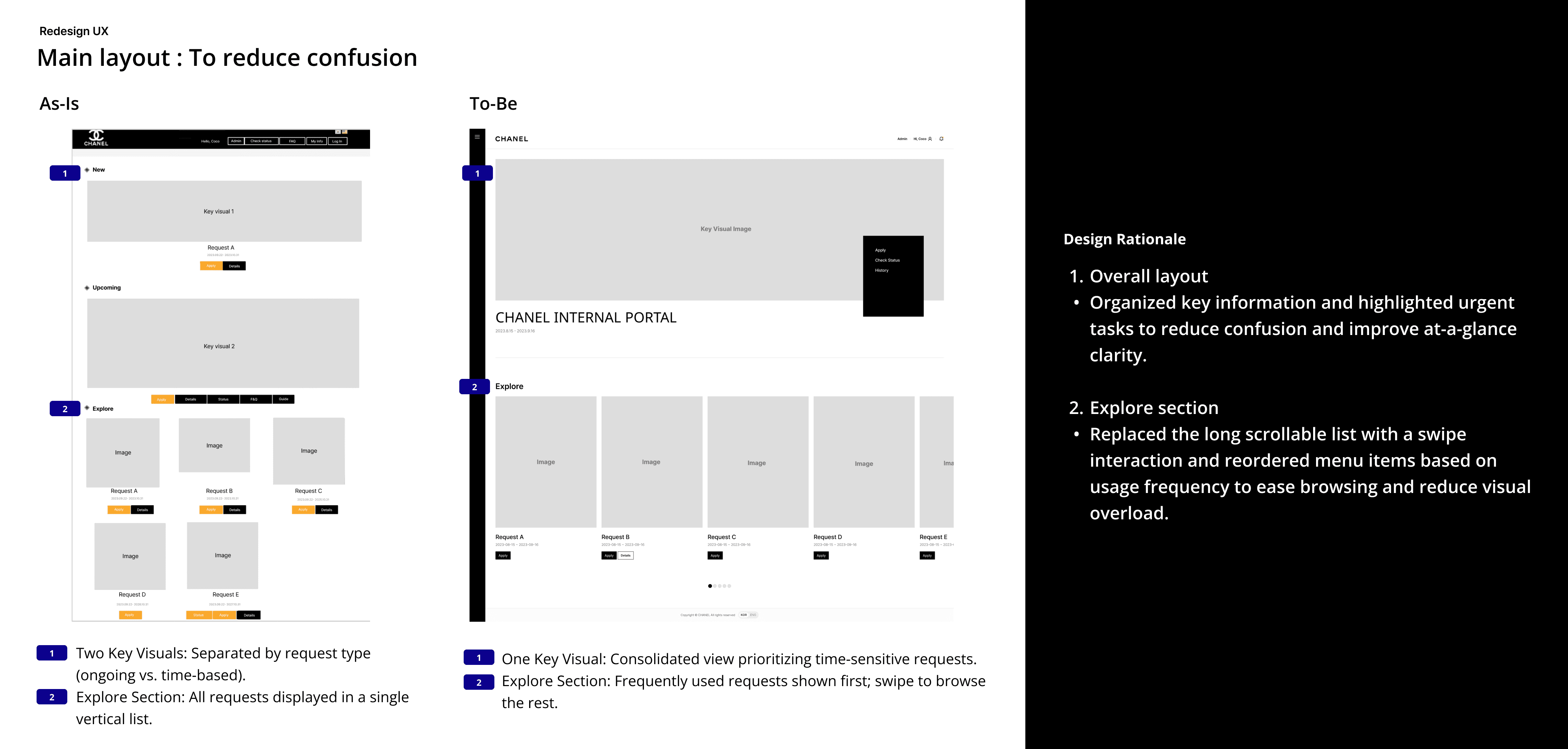
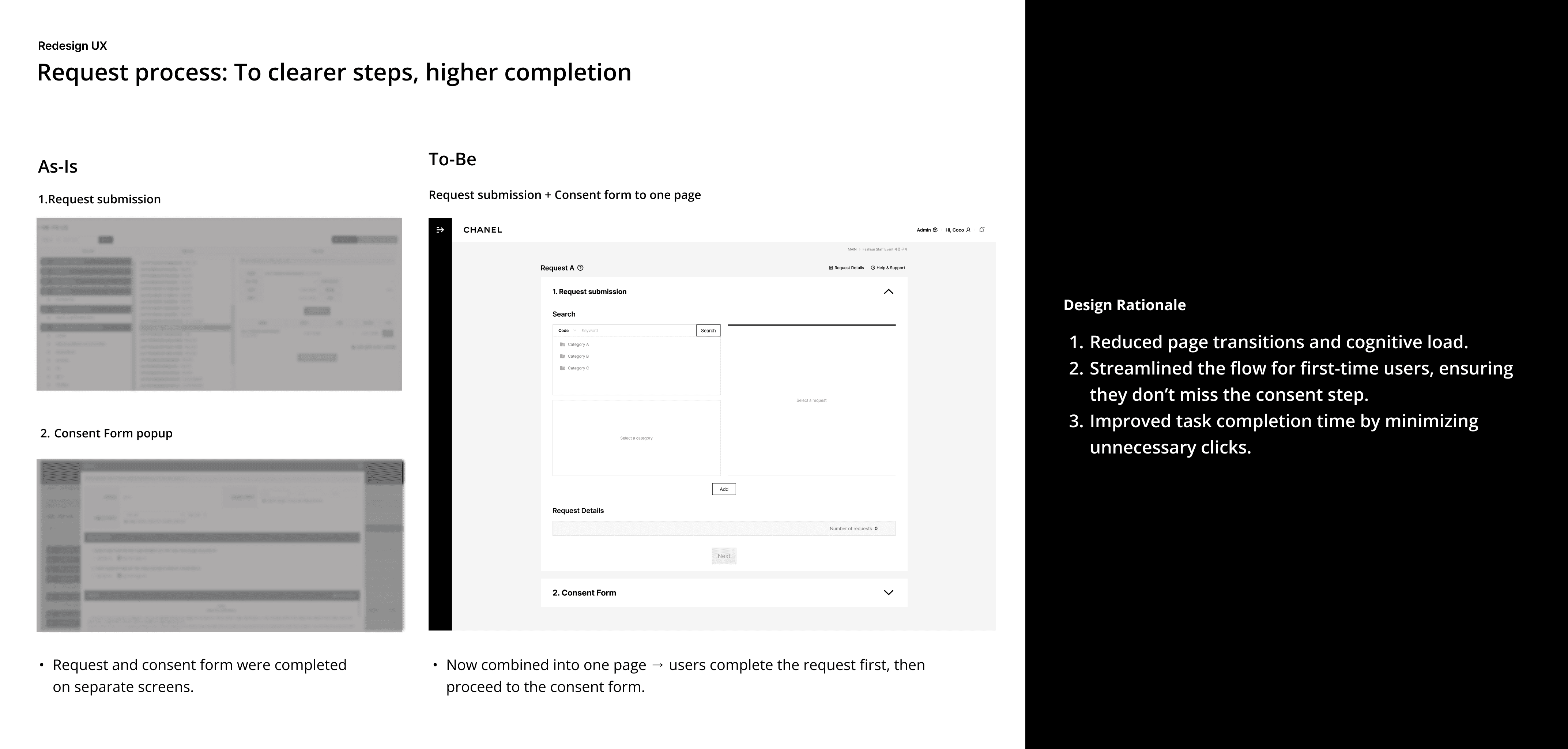
1. Redesign UX
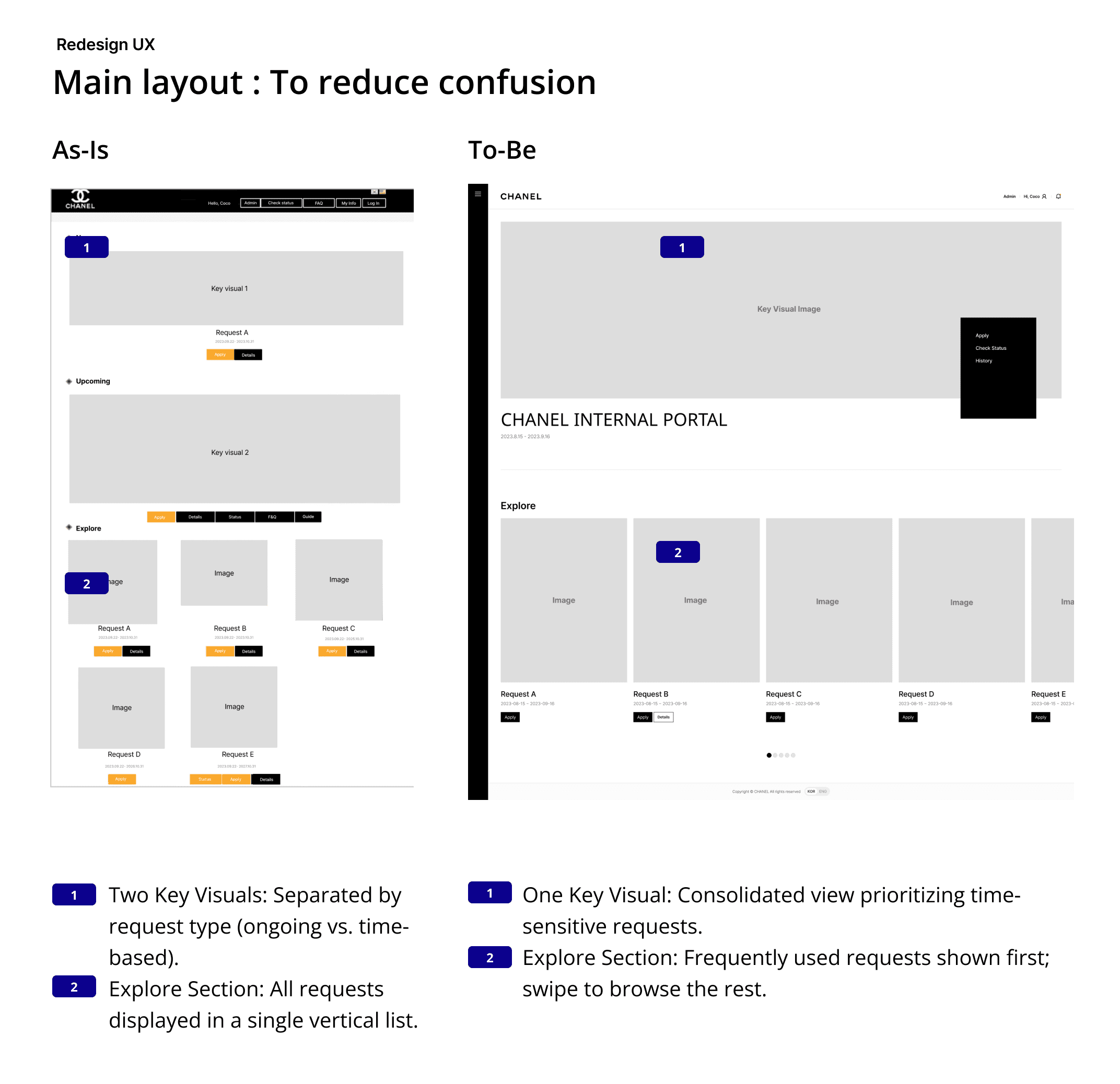
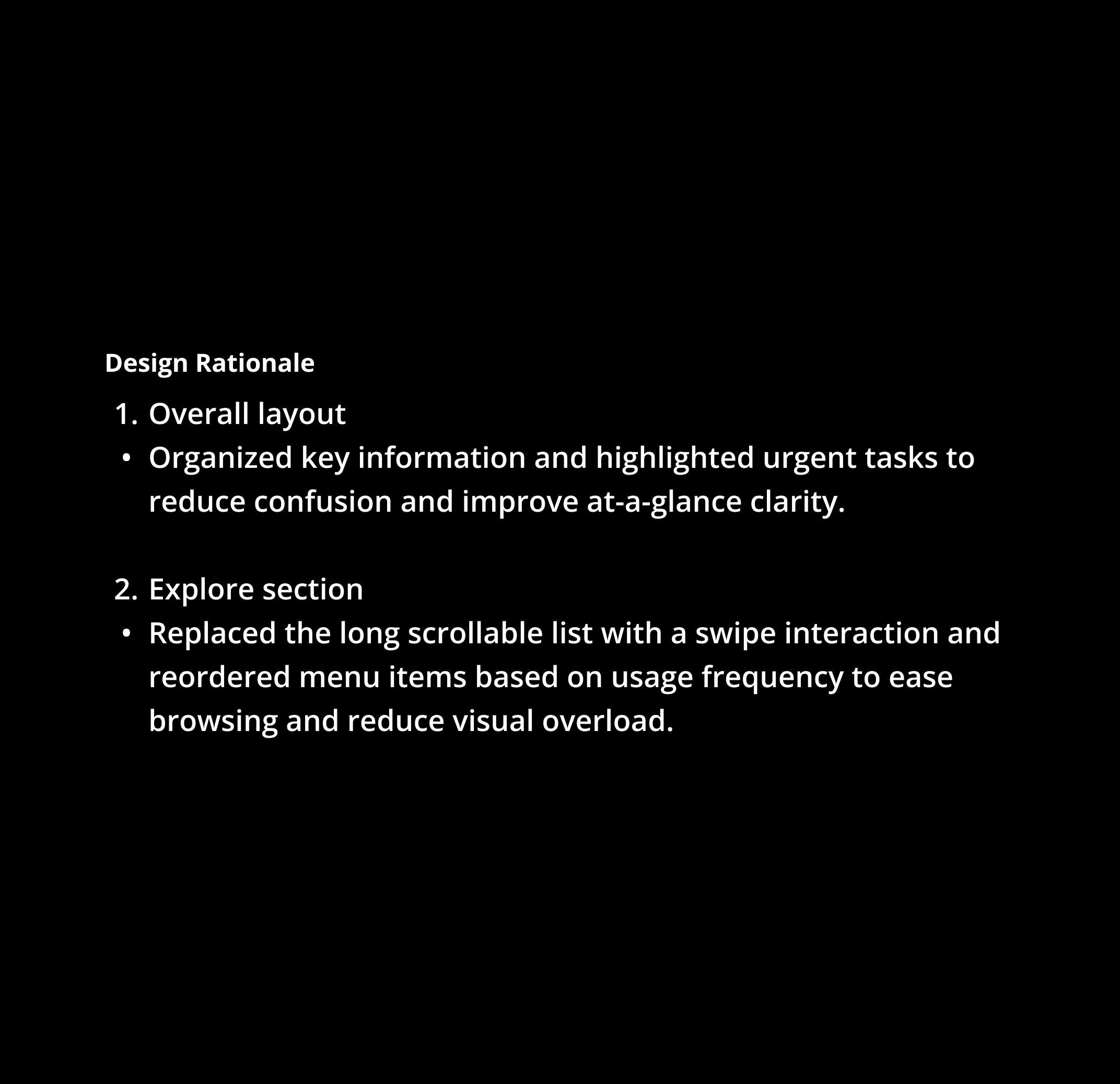
Simplified the Main Page layout and navigation for a more intuitive, user-friendly experience.
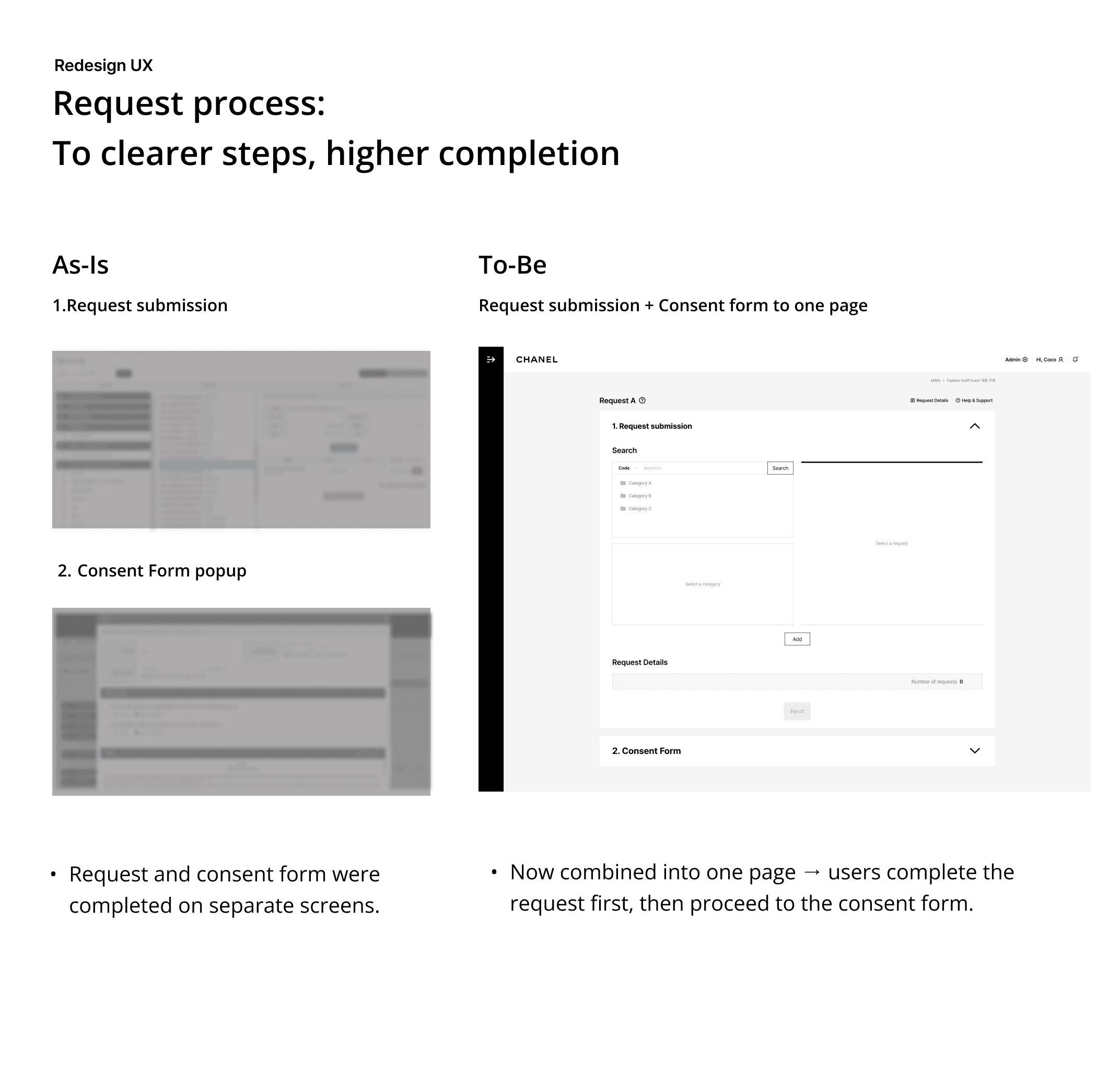
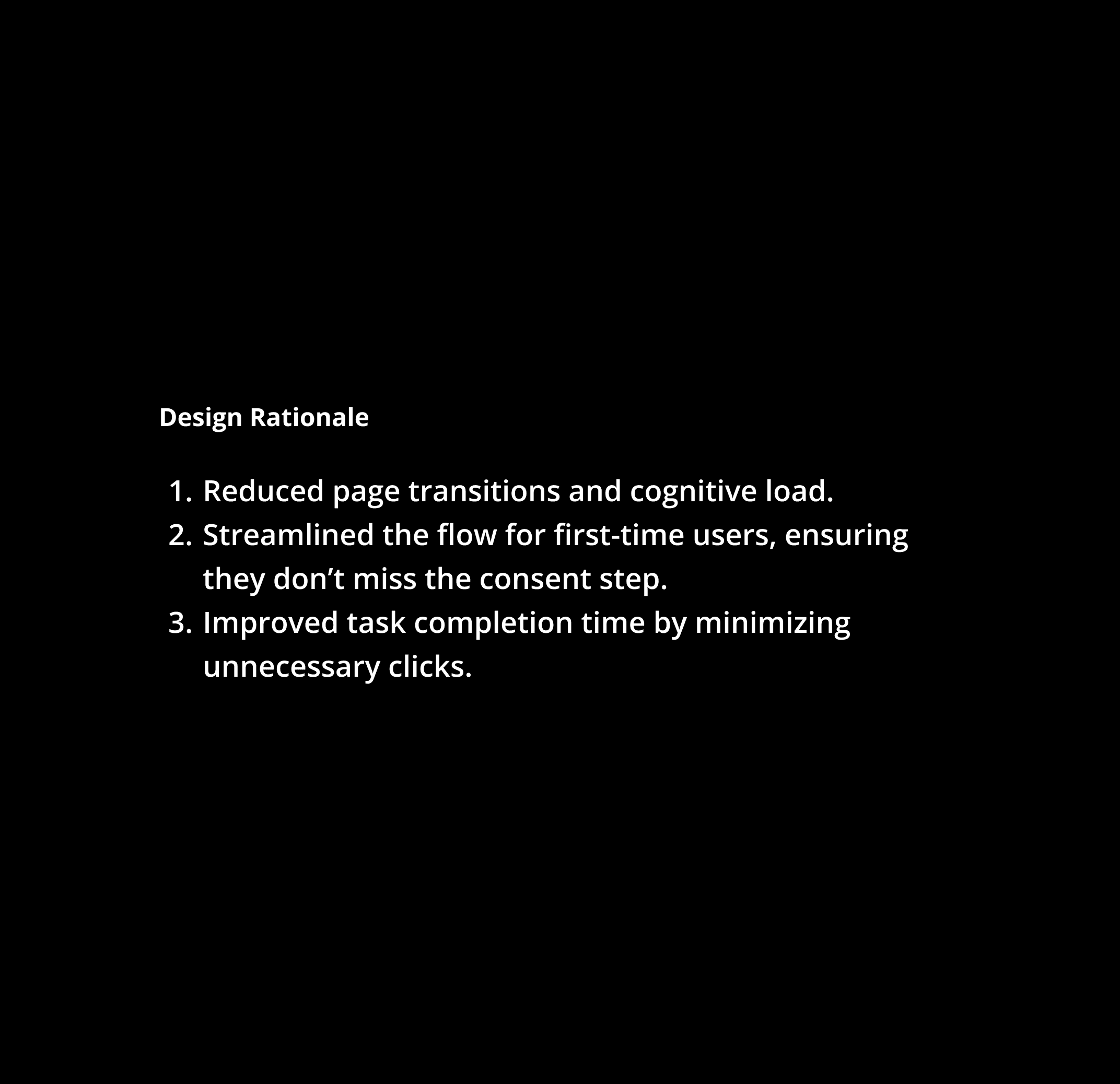
Merged request and consent steps into a single page to reduce cognitive load and speed up completion.
End-to-end design execution: From UX refinement to delivery and validation.
1. Redesign UX
Simplified the Main Page layout and navigation for a more intuitive, user-friendly experience.
Merged request and consent steps into a single page to reduce cognitive load and speed up completion.
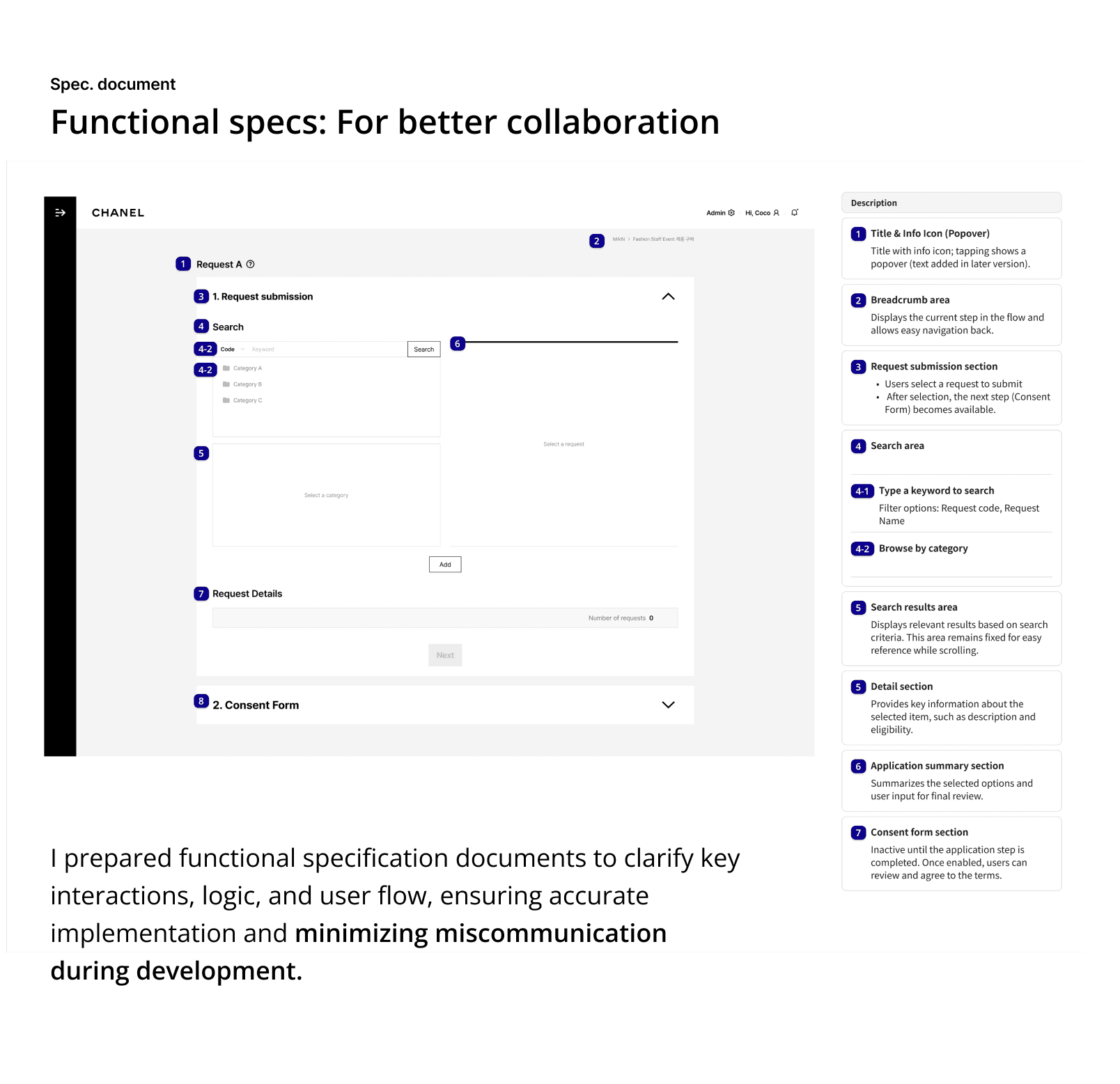
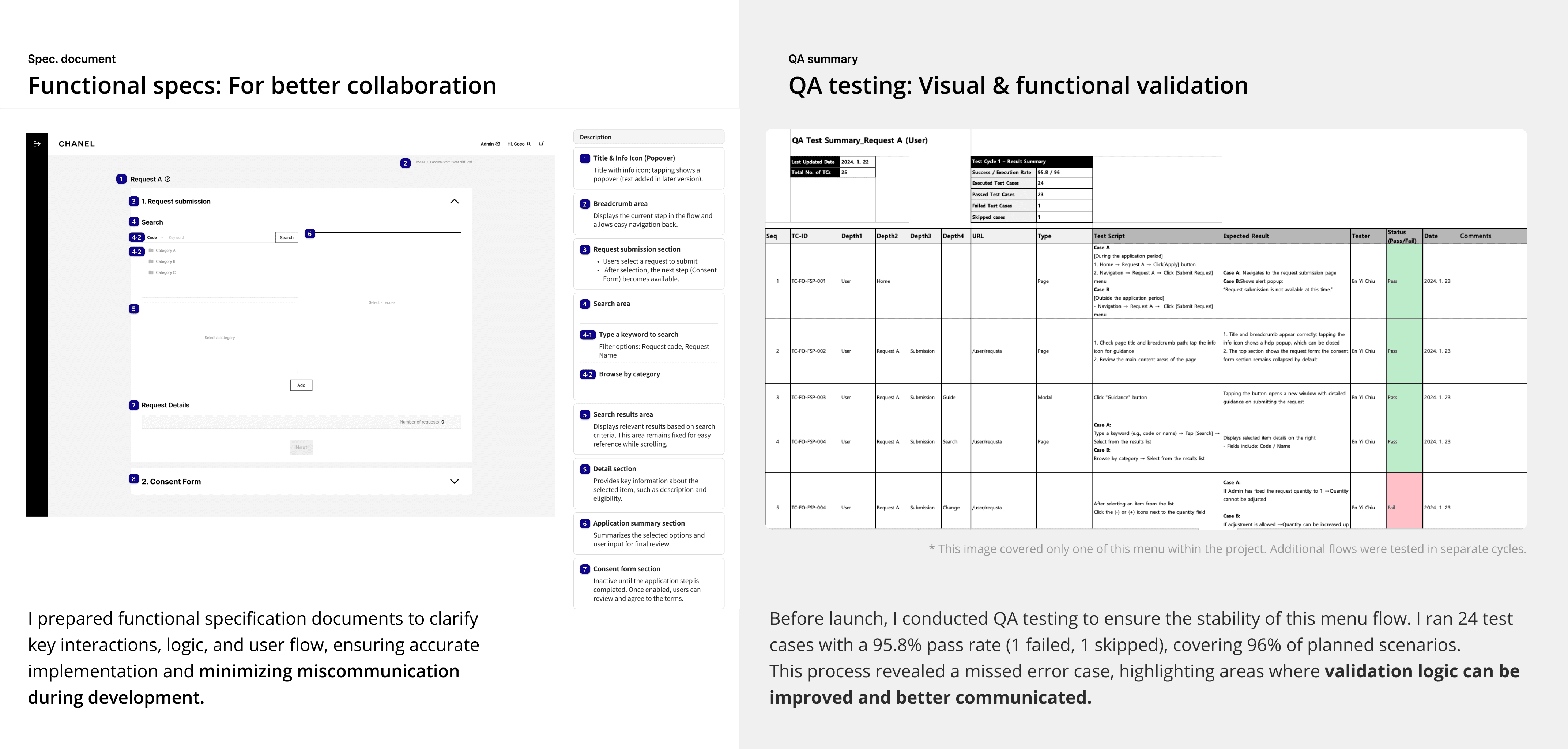
2. Functional specs
Created functional specs for key pages; collaborated with developers to ensure feasibility and refine designs.
3. QA Testing – Visual & Functional Validation
Tested across devices and browsers to ensure consistency, usability, and system stability before launch.

8/
Impact & Takeaway
The redesigned workflow reduced task completion time by 16.3%, making processes easier.
Improving workflows within an existing system—rather than starting from scratch—was both exciting and challenging. Every design decision had to factor in technical feasibility, budget limits, and timeline constraints.
Designing within limits
Learned to align UX improvements with system capabilities, ensuring practical, resource-conscious changes.Close collaboration
Frequent communication with engineers helped surface feasible solutions early and reduced design–dev friction.Iterative problem-solving
Each improvement required thoughtful trade-offs involving backend constraints, available resources, and long-term maintainability—sharpening my ability to deliver within real-world limitations.
8/
Impact & Takeaway
The redesigned workflow reduced task completion time by 16.3%, making processes easier.
Improving workflows within an existing system—rather than starting from scratch—was both exciting and challenging. Every design decision had to factor in technical feasibility, budget limits, and timeline constraints.
Designing within limits
Learned to align UX improvements with system capabilities, ensuring practical, resource-conscious changes.Close collaboration
Frequent communication with engineers helped surface feasible solutions early and reduced design–dev friction.Iterative problem-solving
Each improvement required thoughtful trade-offs involving backend constraints, available resources, and long-term maintainability—sharpening my ability to deliver within real-world limitations.